Academy · Module 3 of 4 · 2 min
Connect Claude or ChatGPT
Add Kwikbill to your AI assistant so it can draft quotes and invoices from an email, for you to check and send.
The steps
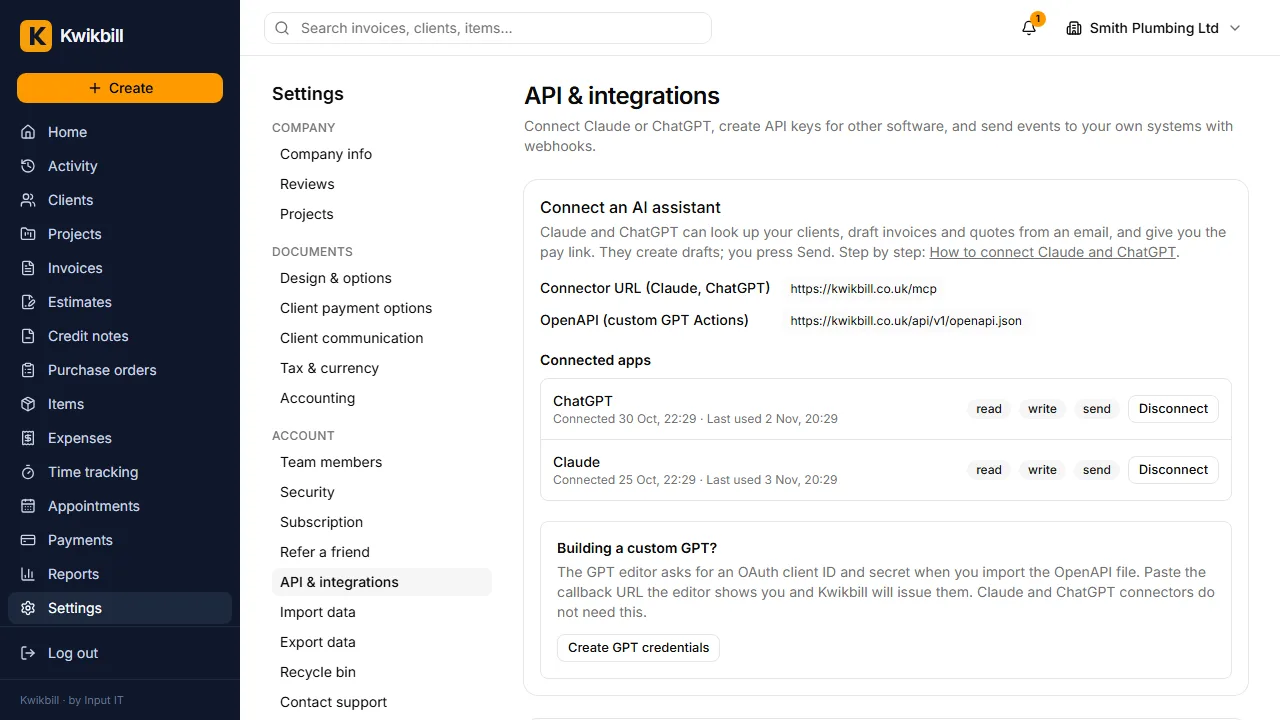
1. What a connected assistant can do
Forward a client's email to Claude or ChatGPT and ask for the quote. The assistant uses your clients, items, prices and VAT, creates a draft and gives you the link. Nothing reaches a client until you press Send.
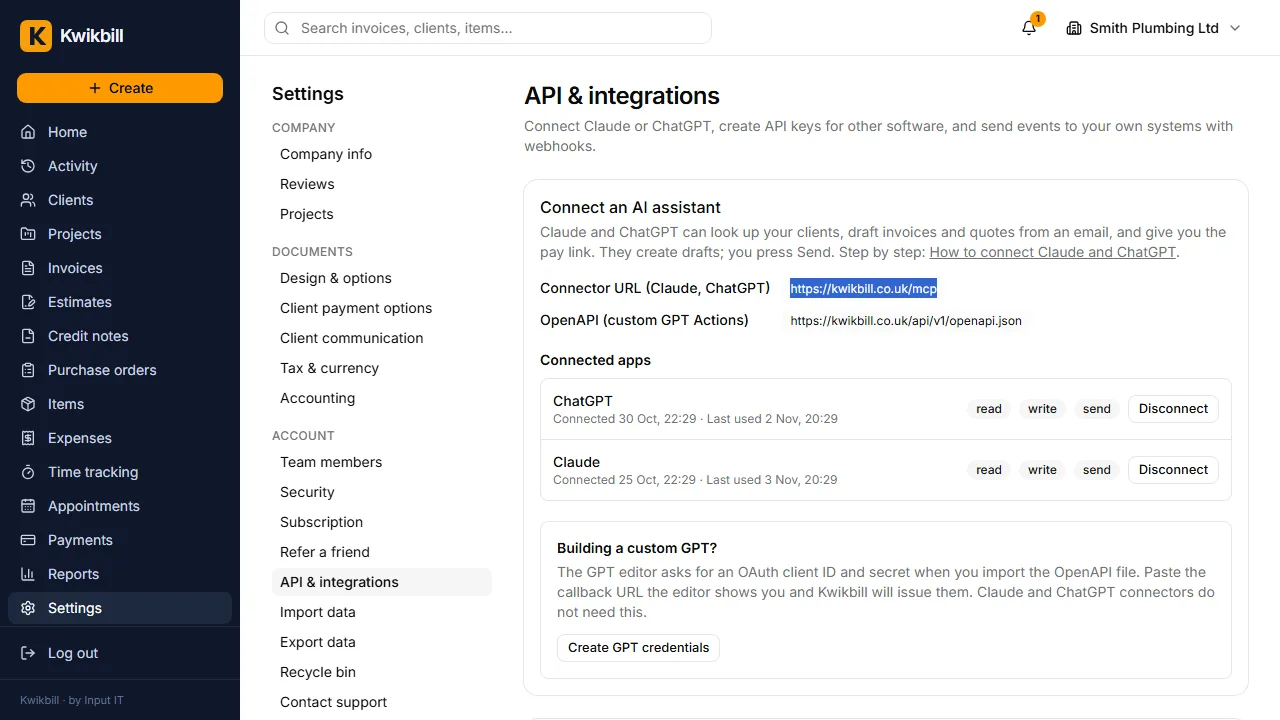
2. Copy the connector URL
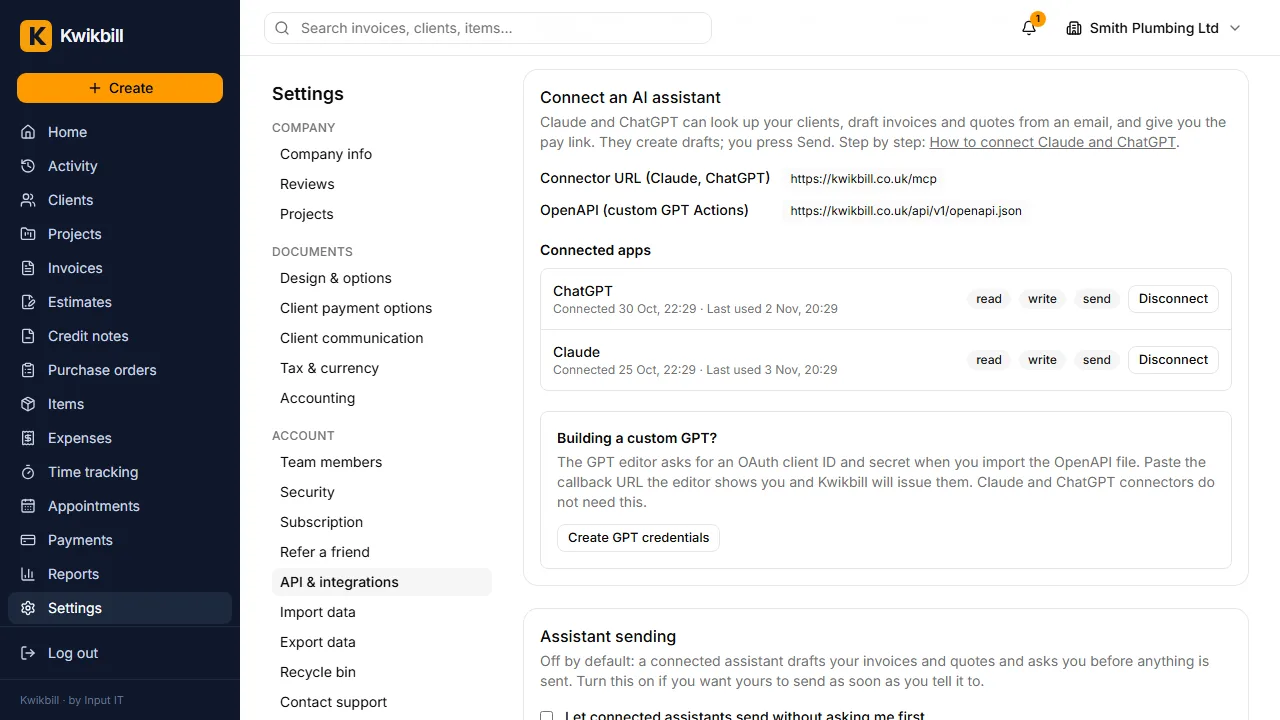
Open Settings, then API & integrations. The connector URL is at the top; select and copy it.
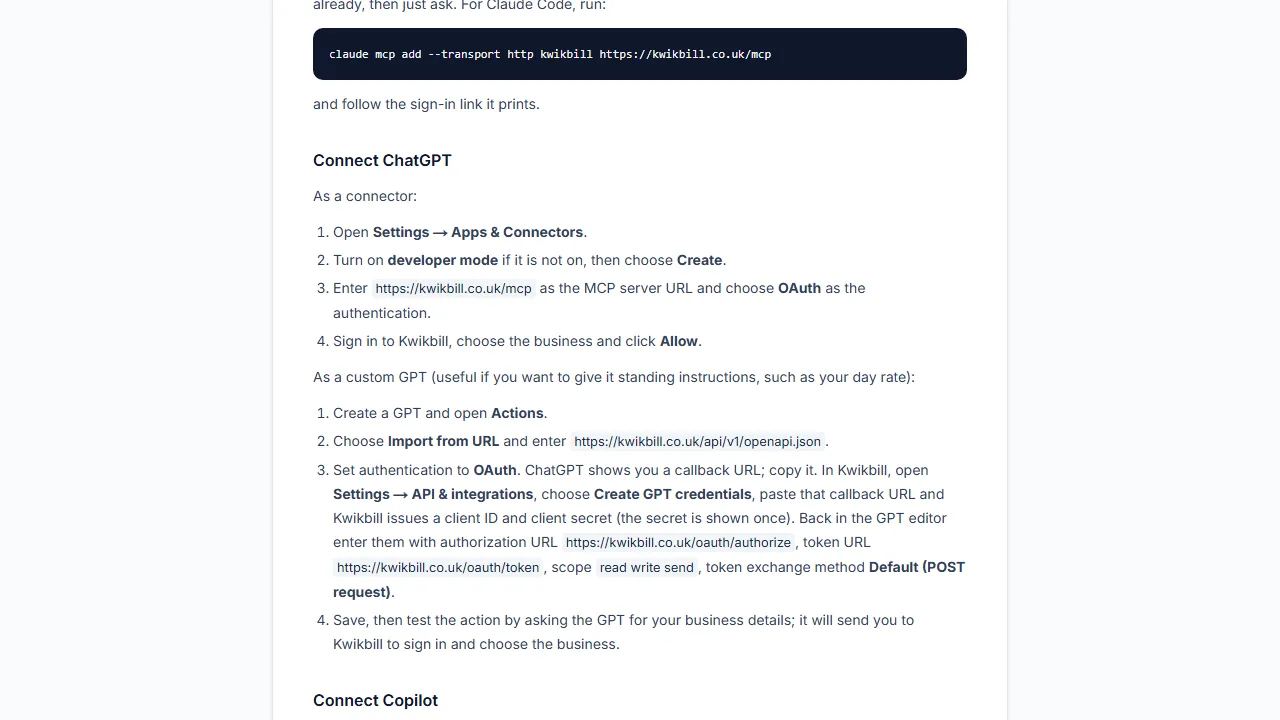
3. Add it in Claude or ChatGPT
In Claude: Settings, Connectors, Add custom connector, paste the URL. In ChatGPT: Settings, Apps and connectors, turn on developer mode, then Create. The help guide has the exact steps, including Microsoft Copilot.
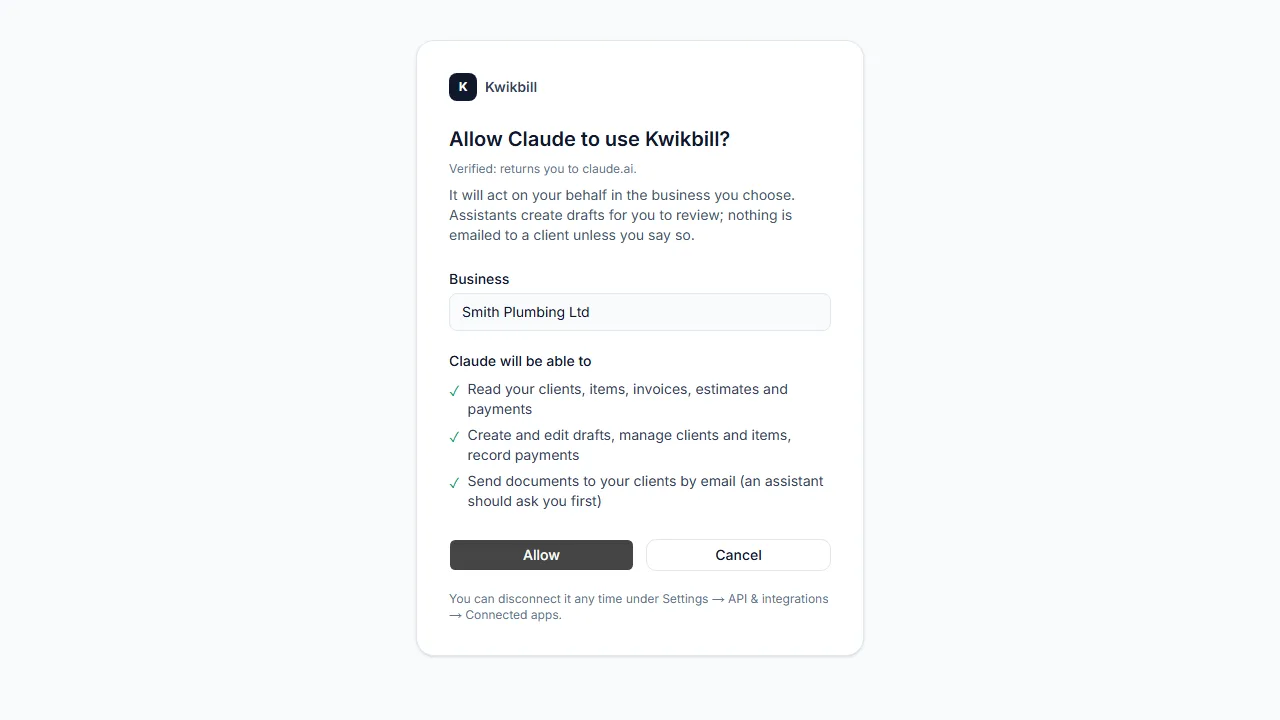
4. Approve the connection
The assistant sends you to Kwikbill to approve. Choose the business, read the three permissions and press Allow. It can read your data, create drafts and record payments, and send documents, which it should ask you about first.
5. It appears under Connected apps
Back in Settings the assistant is listed under Connected apps with when it was last used. Disconnect there at any time.
6. Ask for a draft
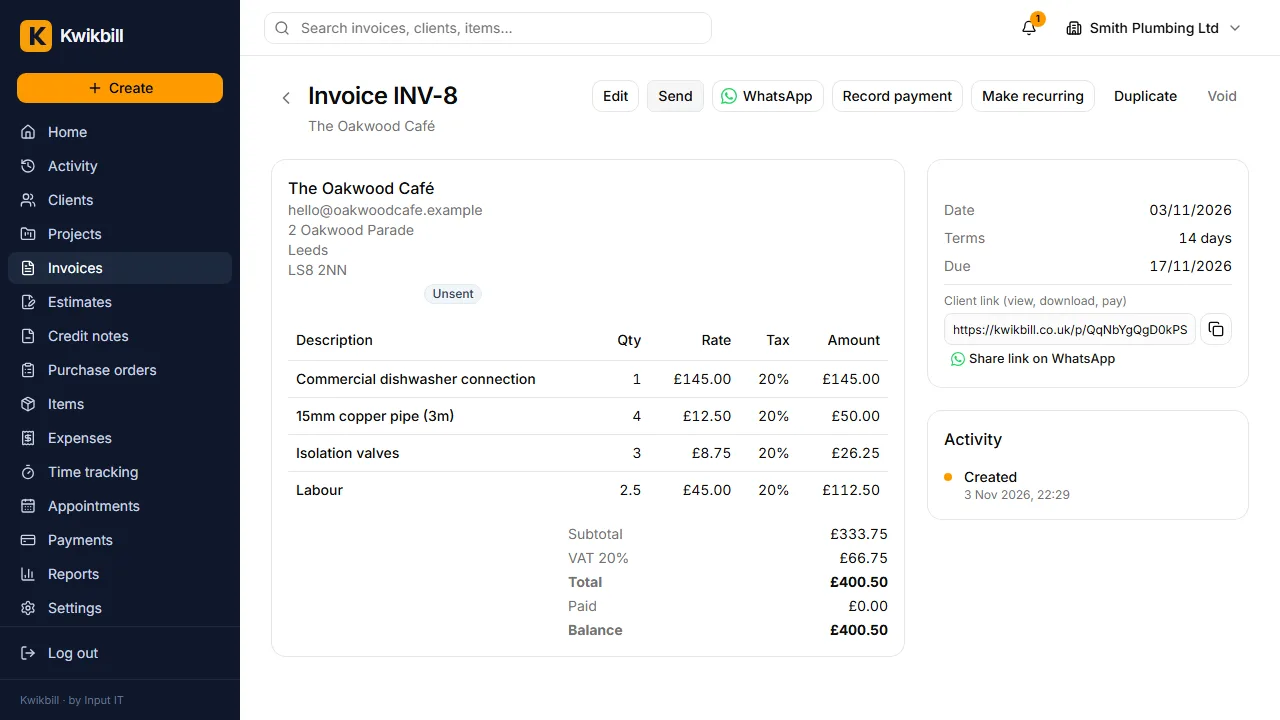
Try: "Draft an invoice for The Oakwood Café: two and a half hours' labour and the parts in this email." The draft appears in Invoices for you to open, check and send.